 B2B SaaS · Own product · In production
Synero.Ordering without waiting.
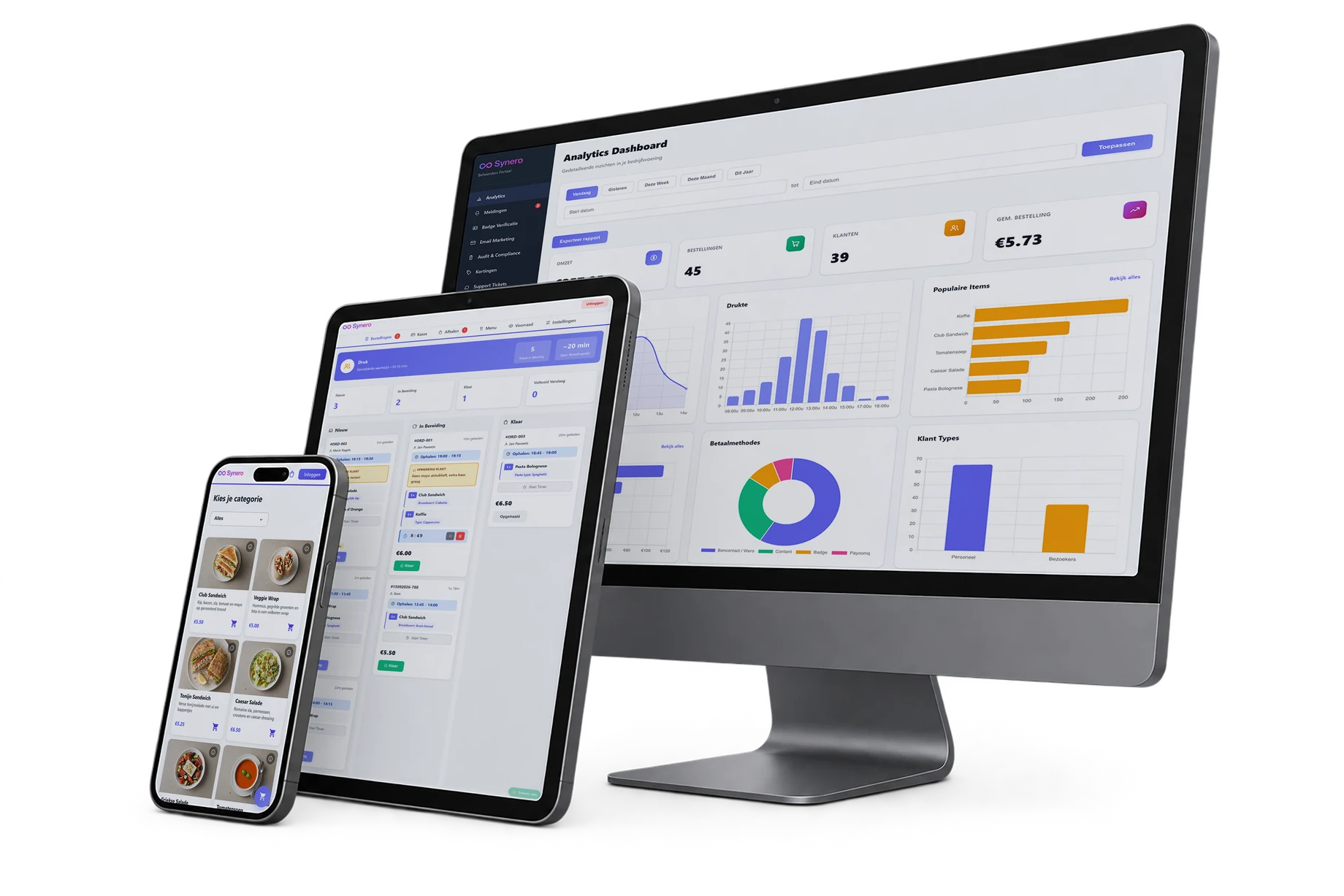
Order online, pay with Bancontact and a kitchen that watches live — for cafeterias, chip shops and care-home canteens. Every business on its own address, in its own branding.
B2B SaaS · Own product · In production
Order online, pay with Bancontact and a kitchen that watches live — for cafeterias, chip shops and care-home canteens. Every business on its own address, in its own branding.
01 · The problem
A cafeteria runs on pace. Every phone call, every scrap of paper and every “is my order ready yet?” costs that pace.
In a company restaurant, chip shop or care-home canteen everything arrives at once: lunch break, everyone at the counter. Orders come by phone, on paper or at the till. The kitchen hears them too late, customers wait, mistakes creep in.
And in the evening? There's no view of what was sold, what VAT applies, what a sandwich actually costs and what's left at the bottom line. Big chains have expensive systems for that. Small businesses have a spreadsheet — on a good day.
Synero brings all of that into one platform you set up in an afternoon, with no installation and no till hardware.
02 · How it works for the customer
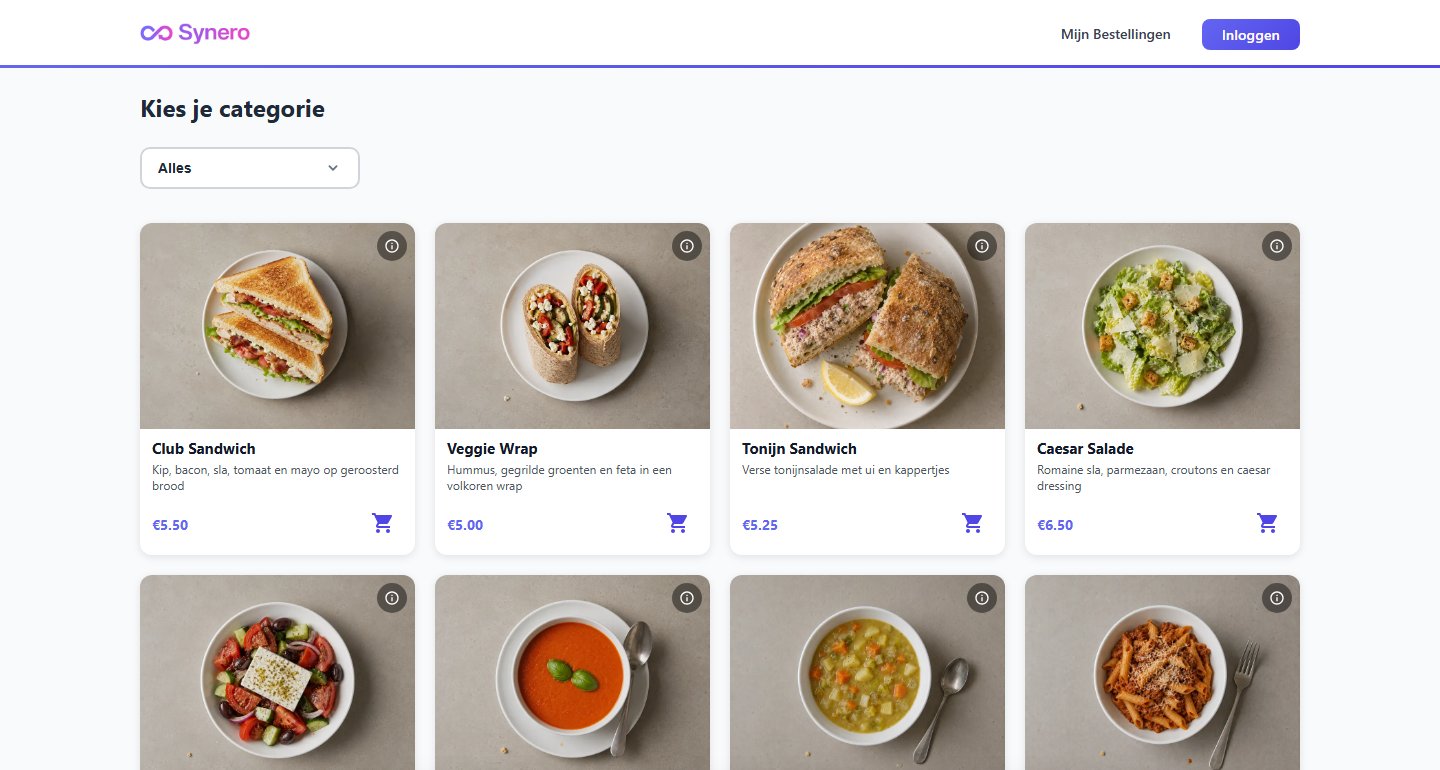
The customer goes to the business's address and sees the menu with photos, allergens and available time slots — in the business's own colours and logo.
Variants, extras and a smart suggestion on top (“Soup with that sandwich?”). Discount codes and loyalty points are applied straight away.
Pick a pickup time, then Bancontact or Wero via Mollie — or simply cash on pickup. Confirmation with order number and QR code.
The order appears on the kitchen screen the second it comes in. One tap on “ready” and the customer sees it in their account.
Sign up, trial period, pick a subscription. Then you manage everything yourself in one panel: menu and photos, VAT rates, cost prices, discounts, opening hours and time slots. No technical knowledge needed — we take care of the rest.
Essentials (€49/month) for anyone who wants to take orders online. Grow (€99/month) adds analytics, marketing and multiple kitchen screens. Enterprise is tailored, for organisations with a till integration or their own login system. Always a fixed monthly fee — never a commission on the business's turnover.
03 · What's inside
Ordering is the start. The real gain is in what happens automatically afterwards.
Every business gets its own subdomain with logo and colours. To the customer it feels like the business's website — not like a platform.
Orders come in live, across several screens when it's busy. The screen stays awake and works on any tablet.
Bancontact and Wero, straight into the business's account. Every business links its own Mollie account — Synero never sits in between.
Sequential invoice numbers, structured payment reference, PDF — and booked automatically in Yuki with delivery via Peppol. Happy accountant.
Revenue per hour, day, week and month. Busy periods, categories, payment methods. Gross and net: after VAT, transaction fees and cost price. Exportable as CSV.
VAT calculated correctly per product and per rate, with a monthly report per business. Finishing touches
Discount codes, a loyalty programme and email campaigns to your own customers — with a built-in support system for questions.
Two-step verification for administrators, a log of every change, GDPR export and deletion request in one click. Independent security audit in September 2026.
Designed with a rehabilitation centre as reference, including documentation for NEN 7510 — the information security standard in healthcare.
04 · Under the hood
Customer
The address determines the business: menu, branding, settings and features come from the database.
Platform
No separate installation per customer. An improvement for one business is instantly an improvement for all.
Payment
Every business links its own account. Confirmations arrive via webhooks and are never processed twice.
Kitchen
Customer and kitchen are linked live. No refreshing, no delay.
Accounting
Invoice created, booked and sent as soon as the payment is confirmed.
Synero runs as one platform serving all businesses at once. The subdomain in the address bar determines which business you see — with its own menu, branding and settings, all from the database. Integrations such as Mollie or Yuki are modules that can be switched on or off per business, with encrypted keys.
Behind the scenes an admin panel for Triple S oversees all businesses, subscriptions and invoices. There's even a fully working demo environment that runs without a server, so an interested business can try the platform without an account.
05 · Why this is different
From invoice number to structured payment reference, PDF, booking in Yuki and delivery via Peppol — and even reading incoming purchase invoices back in. The whole chain is in the product, not in a spreadsheet next to it.
A new business is a row in the database, not a new project. That lets Synero grow without every customer needing their own version.
Every business links its own Mollie account. Synero collects nothing on behalf of its customers and holds nothing back — the owner sees their revenue straight in their own account.
VAT per product, transaction fee and cost price are all accounted for. The owner sees what they really keep, not just what went through the till.
A demo business that works fully without an account or server. Click, order, watch the kitchen — and decide only then.
06 · What we learned along the way
The accounting software doesn't accept draft invoices and rejects recipients who aren't on Peppol.
A review step before booking, and an automatic second attempt without Peppol if the recipient isn't on it. No invoice gets lost.
A subscription was charged twice on its start date, and an email error could make a payment confirmation disappear.
Reworked the processing order: secure the payment first, only then send email. Payment and administration can no longer get in each other's way.
After an update, some customers were still seeing old code from their browser cache.
Cache rules split: pages always fresh, files with a version number. Updates now reach everyone at the same time.
How do you check hundreds of features without testing everything by hand every time?
Our own test simulations per component and one principle: check the result, not the description.
07 · What's next
Platform, payments, kitchen screen, invoicing and admin panel in production.
Onboarding the first customers, with public sign-up through the website.
The accounting link in both directions: refunds and payment statuses automatically too.
Paying at the counter with QR, integration with existing till systems and logging in with the company account.
French and English alongside Dutch — the foundation is already there.
A business that wants to take orders online?